---
Home
Comparisons
Datup vs Forecast Pro

ForecastPro: what it is, features and opinions 2026

If you want to manage your supply chain with ForecastPro, check out this guide and make the best decision. Get to know all the information about the features, reviews and prices you can get with this tool.
o9 Solutions Features

Comparison chart: Forecast Pro vs Datup

Category Datup Modern AI Forecast Pro
Definition Demand planning and inventory optimization software with AI. Demand forecasting tool based on statistical models.
Features Demand forecasting, inventory and distribution optimization, inventory balancing, shortage management, and expiration date control.
Integration with ERP and WMS.
Forecast generation based on statistical techniques (exponential smoothing, Box-Jenkins, regression, among others).
Model SaaS with flexible subscription and cloud access. Licensed software with one-time payment and subscription options for support and updates.
Methodology Use of AI with over 200 external variables to improve accuracy and optimize inventories. Advanced mathematical and statistical models, with automatic selection of the best model.
Implementation Time 4 to 8 weeks FAST
Rapid integration into ERP/WMS systems.
Fast implementation, but no native ERP integration, requiring additional configurations.
Infrastructure Cloud-based with access from any device.
Includes virtual assistant (Alaia).
Desktop and cloud software, depending on the version purchased.
Service Agreements SLA with personalized support, process optimization, and training. Technical support options according to the license purchased.
Results Reduction of up to 30% in inventories, improved availability, and reduced stockouts. Higher forecast accuracy by applying automatic statistical models.
Cases / Clients Retail, consumer goods, and manufacturing companies with optimization needs. Companies looking to improve accuracy in their demand forecasts.
Error Measurement Forecast accuracy exceeding 95% with AI models. Evaluation of multiple statistical models to select the one with the lowest error.
Short Term ROI ROI in 3-6 months thanks to rapid implementation and optimization. Medium-term benefit depending on the accuracy of the chosen model.
Pros Rapid implementation, accessible for mid-sized companies, high accuracy, distribution optimization, and virtual assistant (Alaia). Variety of statistical models, ease of use, automatic application of the best model.
Cons Does not include production planning or transport and logistics management. Does not optimize inventories or manage storage restrictions, limited ERP integration.
Key Benefits Optimization of purchasing, inventories, and distribution. Cost reduction and automation with Alaia. Rapid forecast generation with proven statistical methodologies.

ForecastPro Features

Demand forecast

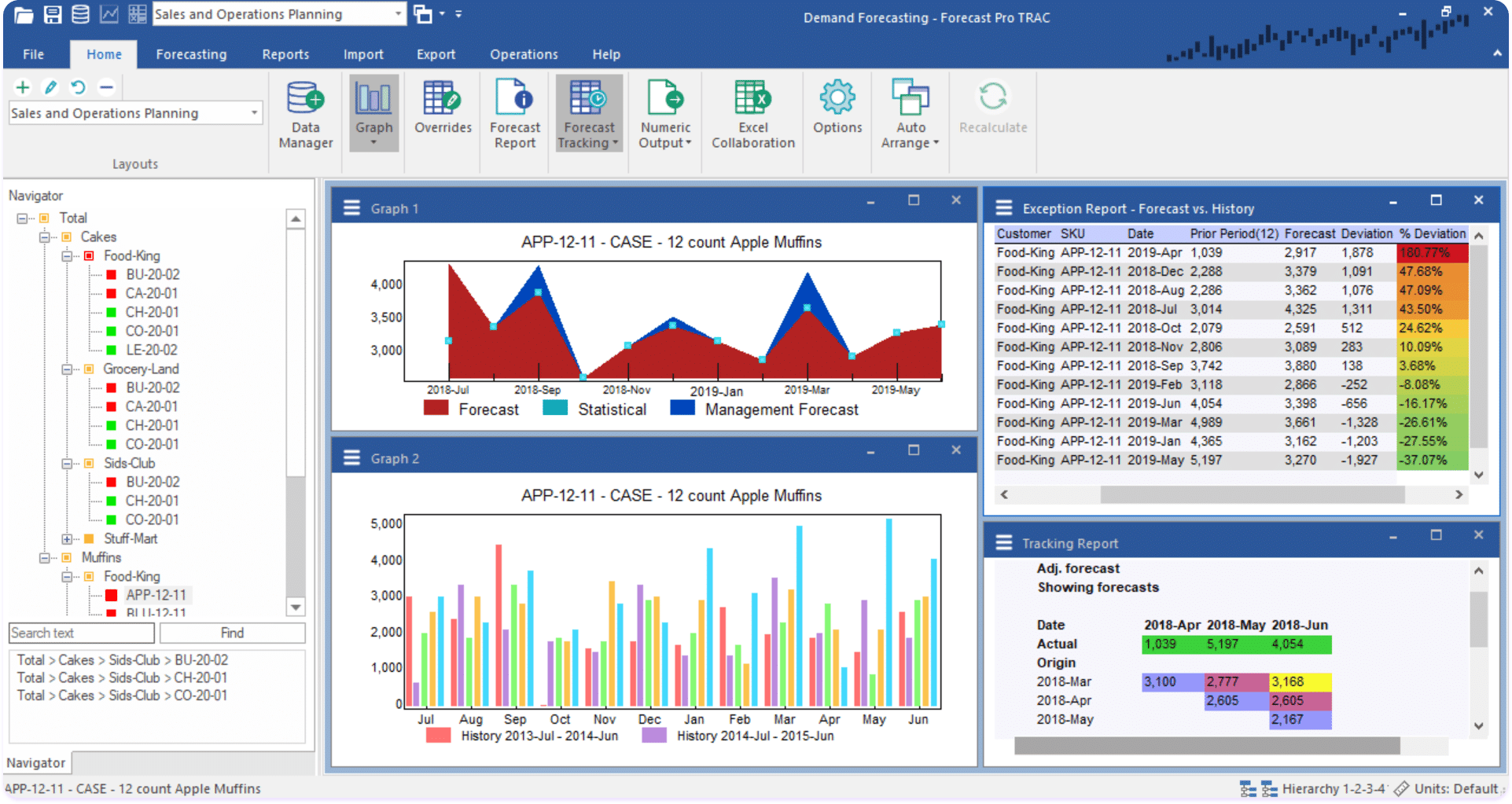
Forecast Pro automatically choose the best forecasting method for each product you sell. In seconds, it processes thousands of items considering if they peak at certain times of the year, if they go up or down, and how they react when you make promotions.

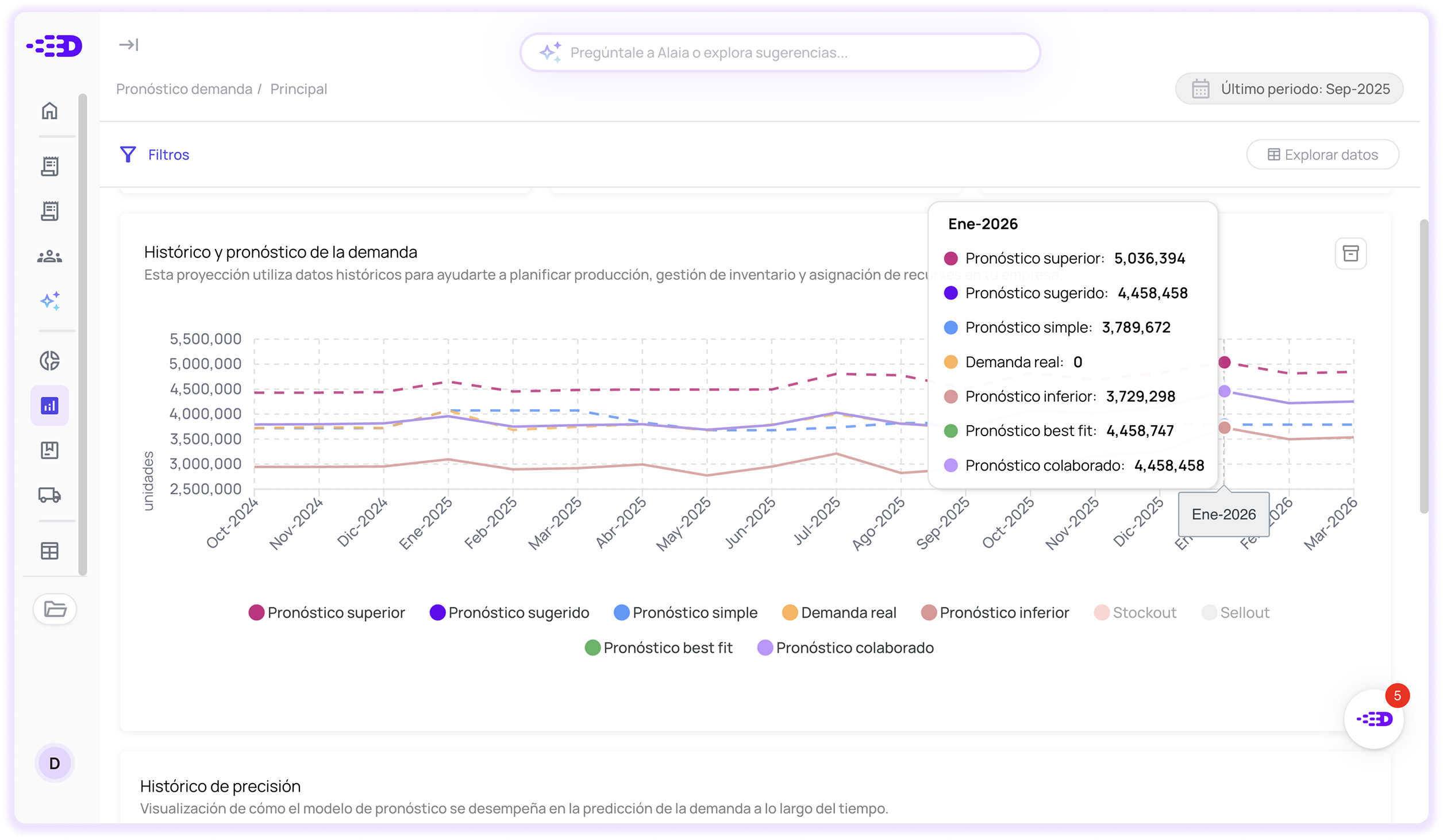
On the other hand, Datup It offers the module specialized in Demand forecasting which generates diverse forecasting scenarios driven by ML and Artificial Intelligence models, with up to 95% accuracy, considering more than 200 external variables, synchronizing with multiple data sources such as ERP, WMS, CRM, TMS or whatever your business requires.

Forecasting new releases

Forecast Pro is able to estimate the sale of new products. When you release something new, Forecast Pro borrows the history of similar products you've sold before. Let's say you discontinued a line and launched a similar one, or you opened a new store: instead of guessing, the system uses real patterns from what already worked.

Datup use a similar system, where, taking the history of similar products, you can have an estimated demand for new products soon to be launched.

This saves you from typical release errors. You don't run out of stock at first because you underestimated, nor do you end up with full warehouses because you went too optimistic.

S&OP collaboration

Forecast Pro brings together all the numbers you need to see: forecasts, current inventory, pending orders, sales budgets. You can assemble customized reports and adjust figures in an Excel-like view where you work at different levels (by region, by category, whatever you need).

With Datup you can collaborate with other teams on the same panel, where they can add annotations, estimated orders, in a single demand forecast.

Forecast accuracy measurement

Forecast Pro save all your previous forecasts and compare them with what actually happened. You can see how successful the system was, how successful the manual settings were, and where the biggest errors are.

With Datup, you also have access to the history of forecast accuracy, so you can identify what's working and what's not.

Pros and Cons of Forecast Pro

Software Pros Cons
Datup
  • 1. Rapid and accessible implementation for mid-sized companies. AGILE
  • 2. High forecast accuracy with distribution optimization.
  • 3. Native integration with ERP and WMS.
  • 4. Virtual assistant (Alaia) included.
  • 1. Does not include production planning.
  • 2. Does not include transport and logistics management.
Forecast Pro
  • 1. Variety of proven statistical models.
  • 2. Ease of use and automatic application of the best model.
  • 3. Rapid forecast generation.
  • 1. Does not optimize inventories or manage storage restrictions. INCOMPLETE
  • 2. Limited integration with ERP (requires extra configuration).
  • 3. Medium-term benefit, dependent only on statistical accuracy.

Forecast Pro's key differentiators

Difference Datup Forecast Pro
Implementation Time Total Integration Datup: Native connectivity

Implementation in 4 to 8 weeks with rapid integration to ERP/WMS systems, allowing automatic data flow.

ERP and WMS integration included
Isolated Forecast Pro: No native integration

Fast implementation, but without native ERP integration, requiring additional manual configurations.

ROI and Results Short Term Datup: Accelerated return

ROI in 3-6 months thanks to inventory optimization. Up to 30% reduction in inventories and improvement in availability.

Optimization of purchasing, inventory, and distribution
Medium Term Forecast Pro: Model dependent

Benefit in the medium term depending on the accuracy of the chosen model. Limited to improvement in forecast accuracy.

Model and Technology SaaS / Cloud Datup: AI and Cloud

SaaS with flexible subscription accessible from the cloud. Uses AI with over 200 external variables and virtual assistant (Alaia).

Accessible for mid-sized companies
License / Desktop Forecast Pro: Statistical

Licensed software with one-time payment (Desktop/Cloud depending on version). Based on traditional mathematical statistical models.

When to choose Forecast Pro and when to choose Datup?

Datup is ideal for: Forecast Pro is ideal for:
Company Profile:
Retail, Consumer Goods, and Manufacturing companies (especially mid-sized).
Organizations seeking quick ROI (3-6 months) and operational optimization.
Comprehensive need: Forecast + Inventory + Distribution + Expirations.
Teams requiring native integration with ERP/WMS to automate flows.
Businesses that value modern AI (200+ variables) and virtual assistance (Alaia).
Datup Results:
Up to 30% inventory reduction and >95% forecast accuracy, with direct impact on purchasing and distribution.
Company Profile:
Companies focused exclusively on improving statistical forecast accuracy.
Analysts who prefer traditional mathematical models (Box-Jenkins, regression).
Organizations that do not require storage management or inventory optimization.
Teams willing to perform additional configurations for data integration (non-native).
Users seeking licensed software (desktop/cloud) with a one-time payment.
Forecast Pro Results:
Rapid forecast generation through automatic selection of statistical and mathematical models.

Switching to Datup is easy

1

Connecting to your system

We identify the most efficient type of integration for your operation (API, Data Warehouse or files) and connect directly to your system or other key sources.

2

Structuring and training

We extract data from your system, structure it according to your operation, and train our AI models to deliver accurate and actionable recommendations.

3

Validation and start-up

We provide you with ready-to-use dashboards, with clear and actionable information. We validate with your team that the recommendations fit the operational reality and fine-tune the last details.

FAQs

What is the main difference between Datup and ForecastPro?

They differ primarily in the approach to each tool. Slimstock was created primarily for inventory management and optimization, and then integrated other planning features. Datup, on the other hand, was born natively as an AI analytics platform for demand forecasting and inventory optimization, with a focus on advanced models, which aims to improve supply chain decision-making based on data.

Is Datup cheaper than Forecast Pro?

That's right, Datup has a more accessible payment model than Forecast Pro. Datup offers scalable plans that allow growing companies to access advanced forecasting and supply chain technology without a large initial investment. In addition, it has unlimited users and a fixed monthly subscription adapted to the needs of your company.

How long does it take to show tangible results since implementation?

When implementing Datup, companies usually see the first tangible results within 4 to 8 weeks thanks to its agile implementation process. Forecast Pro, due to its higher level of complexity, generally requires a period of 2 to 6 months to complete the implementation.

Does Forecast Pro connect to other ERPs?

Yes, both Datup and Forecast Pro have integrations with the main ERPs in the market such as Oracle, Siesa, Odoo, and others. Both platforms have pre-configured APIs and connectors that make it easy to synchronize data.

Does ForecastPro have a conversational assistant like Datup?

No, ForecastPro does not have a conversational virtual assistant comparable to Alaia from Datup. The Slimstock system focuses on traditional interfaces with control panels, customizable reports and specialized modules that require manual navigation, without a co-pilot assistant.
Supply Chain Analytics
Datup integrates your data and uses deep learning to predict demand (95%+ accuracy), analyze your inventory, and calculate reorder points, prioritizing your purchases based on location and strategic products.
Thank you! Your submission has been received!
Oops! Something went wrong while submitting the form.
Untitled UI logotextLogo
Logo
Logo
© 2025, Datup.