Yes, there is free inventory management software that a small business can use without paying for a subscription. They don't all solve the same problem, though. This guide covers 7 options, grouped by the profile each one fits best rather than ranked by a score: six you can use without a subscription or license fee, and one free trial of paid software. Zoho Inventory, Odoo One App Free, Sortly, Stockpile and Square each offer a $0 plan with very different scopes. ERPNext is open source, so you pay no license fee if you host it yourself. The seventh, inFlow, has no free plan: it is included as a 14-day trial of paid software.
Finding the longest feature list matters less than knowing which limit your operation will hit first: users, monthly orders, unique items, locations, purchasing features, payment processing fees or the work of maintaining the system yourself.
A conversation about inventory optimization for small and midsize businesses
If you want to learn about DATUP’s inventory optimization approach for small and midsize businesses, review the scope and conditions of a conversation with the team to see whether it fits your operation.
Bring your inventory needs, how you decide purchases and what data you already have, so you can ask specific questions.
What are the 7 best free inventory management options for a small business?
These 7 are the best fit for the profiles below, not a ranking from first to last: there is no single best free option for everyone, and this guide compares published terms rather than scoring each tool. The right pick depends on how many people will use it, how many orders you process and which steps you need to control. The first six can be used without paying a subscription or license (ERPNext only if you host it yourself). The seventh, inFlow, is a time-limited trial of paid software, not a free plan.
Zoho Inventory Free: a one-person business with one location and fewer than 50 orders a month.
Odoo One App Free: teams with several people who can work inside a single app, such as Inventory, without other modules.
Sortly Free: tracking a small catalog of up to 100 unique items from a phone, by one user.
Stockpile by Canvus: very small businesses that need basic stock in, stock out and reports at no cost, and can live with limited documentation.
ERPNext (self-hosted): businesses with in-house or contracted technical help that want a broad open-source system and can handle hosting.
Square Free: stores that already sell with Square POS and need a basic item catalog and low-stock alerts, accepting card processing fees.
inFlow (14-day trial): growing teams ready to pay for full order and inventory management once the trial ends.
What “free” inventory software actually means
Before you compare products, separate three models:
Forever-free plan. You can keep using the included scope without a subscription, under the vendor’s terms. That doesn’t mean every feature is free or that the terms will never change.
Self-hosted open source. You don’t pay the vendor a license fee, but someone has to install, host, update, secure and back up the system. That work costs money even if it never shows up as a monthly bill.
Free trial of paid software. You get a set period to evaluate the product. After that you need a paid plan to keep working; keeping read-only access is not the same as operating for free.
Don’t mix up units either: a SKU is a product reference, not a physical unit or an order. Few products doesn’t mean few orders. Sortly counts unique items, Zoho counts orders and Square charges per location, so the same business can be “small” on one plan and over the cap on another.
Terms checked on official vendor pages on November 10, 2026. This comparison reflects those pages, not a hands-on test of each account. “Not published” means the source doesn’t set that limit; it does not mean “unlimited.”
Option
What you can use without paying
Users
Items and locations
Limit or cost to check first
Zoho Inventory Free
Items, sales orders, invoices, purchase orders and reorder levels
1
1 location; item cap not published
50 orders and 50 invoices a month; 20 purchase orders and 20 bills a month
Odoo One App Free
One app of your choice, such as Inventory, on Odoo Online, plus its required apps
Unlimited, per the vendor
Numeric item and warehouse caps not published
Installing another app moves you to a paid plan
Sortly Free
Item tracking, photos, import and in-app barcode/QR scanning on mobile and web
1
100 unique items (quantities don’t count)
Low-stock alerts start on a paid plan; activity history covers 1 month
Stockpile by Canvus
Stock in, sales, returns, damaged goods, transfers between locations and reports
Unlimited, per the vendor
Unlimited items and locations, per the vendor
Feature grid and documentation are limited
ERPNext (self-hosted)
The full open-source software, including the stock module
No license cap in the source
No numeric caps; capacity depends on your infrastructure
Hosting, setup, maintenance and support
Square Free
Item catalog with automatic SKUs and low-stock alerts, tied to Square POS
Not the main limit in the source
$0 per location
Processing fees on card payments; inventory history and purchase orders are on paid plans
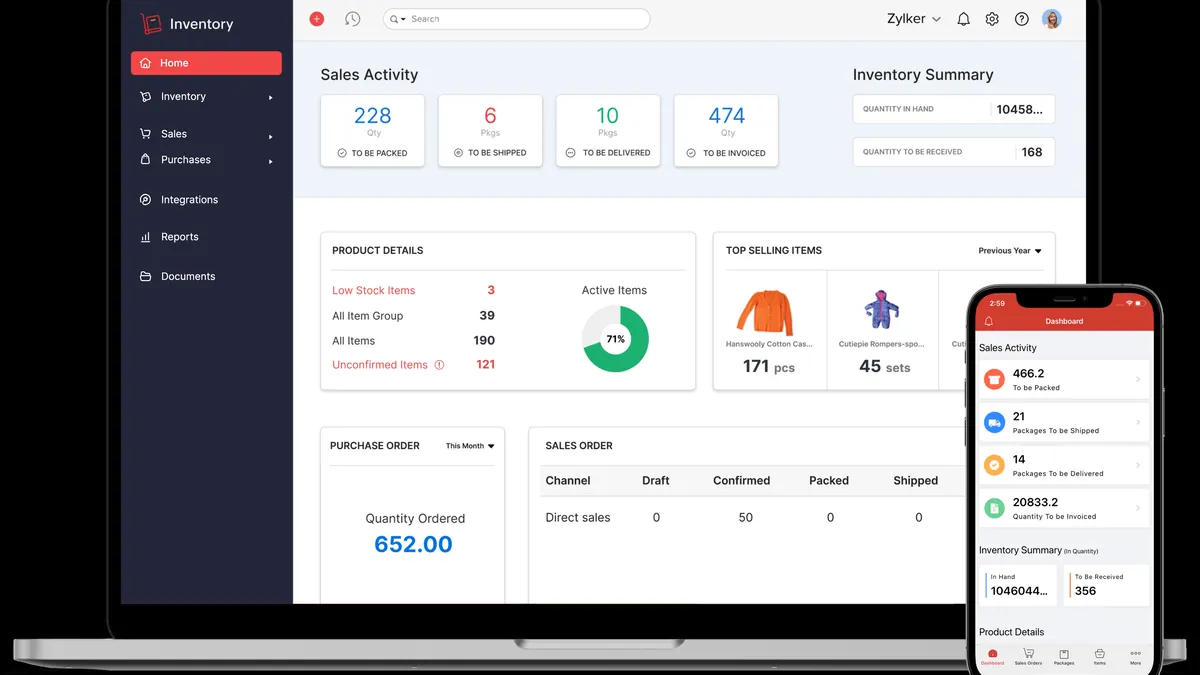
Zoho Inventory: one user and a low order cap
Who it’s for: a small business with one person in charge, one location and a low monthly order volume.
What works
It’s a forever-free plan: after the 14-day trial you can stay on Free or move to a paid plan.
Free includes composite items, dropshipment, backordering, reorder levels and purchase receives.
The cap is set by orders, not by products.
What limits it
1 user and 1 location.
50 orders and 50 invoices a month, plus 20 purchase orders and 20 bills a month.
Barcode generation, stock counting, serial number tracking and picklists aren’t included in Free; they appear on higher plans.
Subscription model
The free plan has no expiration date, according to the vendor’s pricing FAQ.
Standard costs $29 per organization per month billed annually ($39 billed monthly) and raises the caps to 500 orders a month, 3 users and 2 locations. Prices exclude local taxes.
The pricing page doesn’t say whether the trial asks for a credit card; confirm it when you sign up.
Before you commit, export your items and stock levels and check that SKUs, units and dates arrive intact.
U.S. availability
Vendor origin: Zoho Corporation, headquartered in India. According to its site, the company started in New Jersey and has U.S. offices in California and Texas.
In the U.S.: a U.S. edition with prices in dollars and a U.S. support address.
Taxes: if you invoice from Zoho, confirm how the free plan handles sales tax.
Before you choose it
Estimate your monthly orders before you check whether your catalog fits.
If you’ll need a second user or location soon, compare the Standard price now.
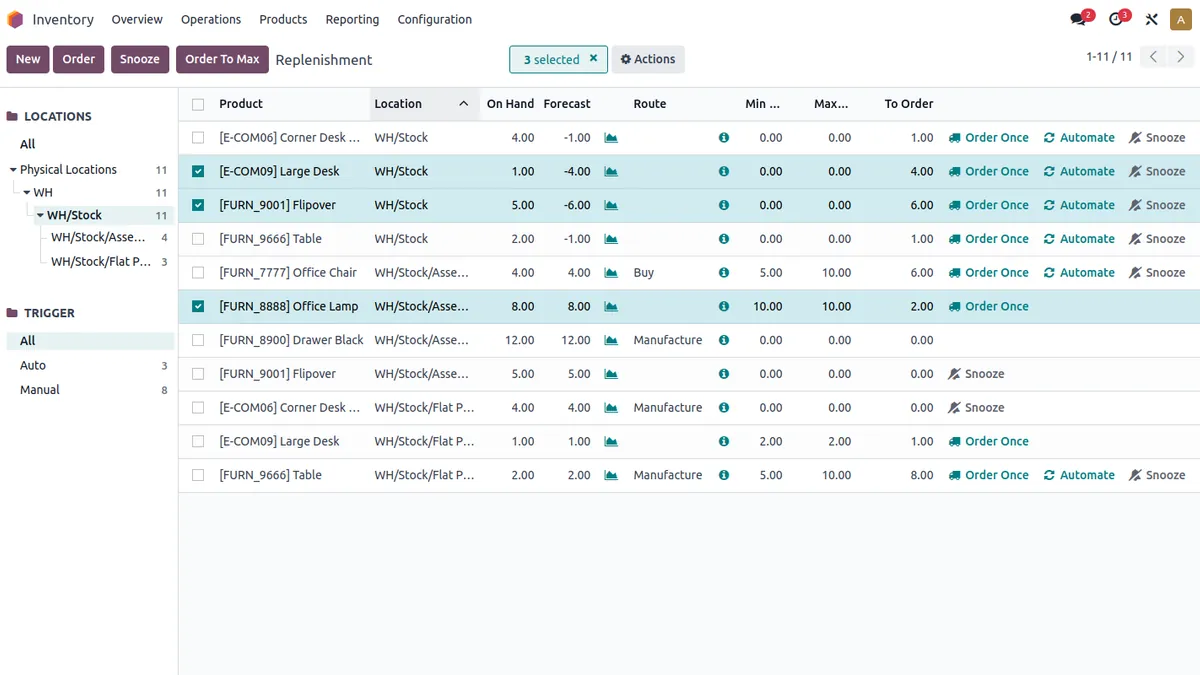
Who it’s for: a team with several people whose inventory process fits inside one app.
What works
Odoo says you can start with any app and use it free for unlimited users, forever.
If the app you choose depends on others, the required apps come free too.
It runs on Odoo Online, the vendor’s hosted service, so you don’t manage servers.
What limits it
The free plan covers one app. Installing additional apps moves you to the paid Standard plan.
Don’t assume Sales, Purchase, Accounting or barcode features are included if your process needs them as separate apps.
The pricing FAQ isn’t consistent: one answer says the free plan allows multiple companies and that Studio can be the free app, while another says installing Studio or adding companies switches you to the Custom plan. Confirm with Odoo before you rely on either.
Subscription model
One App Free costs $0 for one app with unlimited users.
Standard and Custom are charged per user per month. On November 10, 2026 the page showed promotional prices, so check the current rate before you budget.
Sortly Free: a mobile inventory app with a 100-item cap
Who it’s for: one person tracking a small catalog, materials or equipment from a phone, without purchasing workflows.
What works
It’s a $0 plan with no end date, separate from the paid-plan trials.
Quantities of an item don’t count toward the limit: 100 unique items can represent many physical units.
Free includes inventory import, item photos, in-app barcode and QR scanning, offline mobile access and inventory summary reports.
What limits it
100 unique items, 1 user license, 2 active jobs and 1 custom field.
Activity history and transaction reports only cover 1 month.
Low-stock alerts start on Advanced; purchase orders, pick lists and stock counts start on Ultra; the QuickBooks Online integration starts on Premium.
Subscription model
Free costs $0. Advanced is listed at $49 a month on monthly billing, or $24 a month for the first year on annual billing ($288 a year). After the first year, a 20% annual discount applies.
Paid plans offer a 14-day trial that requires a credit card and turns into a subscription unless you cancel. Sortly says it emails a reminder three days before the trial ends.
Data export
Sortly documents exporting your inventory as CSV or Excel from the Inventory Summary report, as a PDF, or to Dropbox with image files; see the guide to exporting your inventory in Sortly.
A CSV or Excel export includes links to images, not the image files themselves.
U.S. availability
Vendor origin: Sortly Inc., with an address in San Francisco, California, listed in its terms of service.
In the U.S.: prices in U.S. dollars; the terms are governed by California law.
Taxes: Sortly tracks items, not invoices. Handle sales tax in your accounting or POS system.
Before you choose it
Count unique items, not units. Variants and materials can fill 100 slots faster than you expect.
If you need reorder alerts, budget for at least Advanced.
Stockpile by Canvus: no published caps, a narrower feature set
Who it’s for: a very small business, or one getting organized for the first time, that needs a basic inventory log at no cost.
What works
Canvus describes Stockpile as forever free, with unlimited users, items and locations.
Its home page lists adding inventory, recording sales and returns, logging damaged goods, managing locations, shelves and manufacturers, and reports that include inventory turnover.
Its tutorials cover tiered user access, minimum stock counts and transfers between locations.
What limits it
There is no pricing page or feature grid that sets out exactly what’s included.
The official documentation is a set of short tutorials, several of them years old. Check how actively the product is maintained before you rely on it.
Integrations, barcode support and a mobile app aren’t documented on its pages; confirm them in the product rather than assuming they exist or don’t.
Subscription model
The vendor presents it as free with no subscription. No paid plan is published.
Test a full export of items and stock levels early, since there is no documented backup feature.
U.S. availability
Vendor origin: Canvus Applications. Its site says the founders built enterprise solutions for large U.S. companies, but it doesn’t state a headquarters.
In the U.S.: a web app available online; the tutorials mention setting a currency preference.
Taxes: no tax or invoicing features are documented.
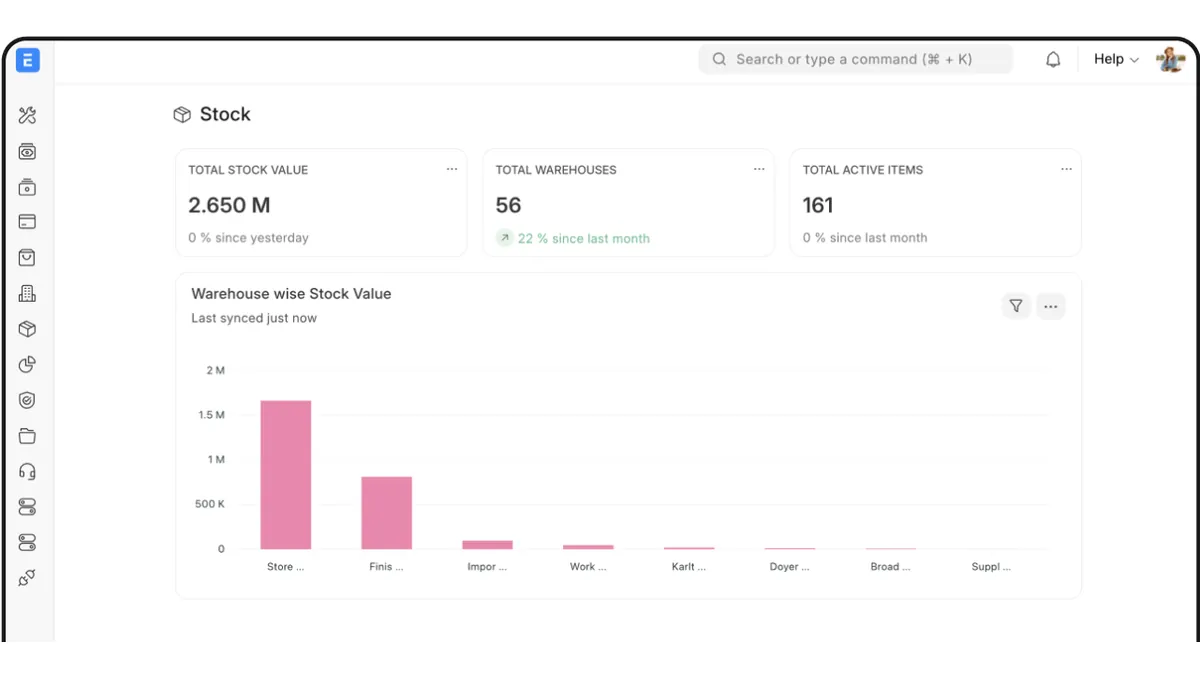
ERPNext (self-hosted): no license fee, with technical responsibility
Who it’s for: a business with in-house or contracted technical help that wants a broad open-source system and is ready to run it.
What works
ERPNext is GPL-3.0 open-source software that you can deploy on your own server with the vendor’s installation scripts.
Beyond stock, it covers accounting, purchasing, sales, manufacturing and other modules.
The vendor publishes no license caps for users or items.
What limits it
Self-hosting moves the work to you: installation, updates, security, backups and support.
The vendor describes self-hosting as a fit for companies with a tech team.
A complex setup may need a certified partner, which is a separate cost.
Subscription model
No license fee if you host it yourself.
Managed hosting on Frappe Cloud is a separate product: shared sites start at $5 a month and servers at $20 a month, according to the pricing page. A free trial is offered; confirm its length when you sign up.
Data export
ERPNext includes a data export tool for downloading records to a spreadsheet; see the official data export guide.
If you self-host, you also control database backups, which is both a benefit and a responsibility.
U.S. availability
Vendor origin: Frappe, based in Mumbai, India, according to its contact page.
In the U.S.: self-hosted, so it runs wherever your infrastructure does; the vendor works with a global partner network.
Taxes: the public code includes a U.S. chart of accounts template. Sales tax handling should be validated with your accountant or a partner.
Before you choose it
Assign an owner for updates and backups before you install it.
Compare the real cost of hosting plus staff time with a paid hosted plan.
Square Free: POS-linked catalog and stock, with paid inventory tiers
Who it’s for: a store that already sells, or plans to sell, with Square and needs a basic catalog with stock alerts.
What works
Square Free costs $0 a month per location.
It includes automatic item and SKU creation, catalog import, low-stock alerts and sales reporting.
Inventory stays connected to in-person and online sales through Square.
What limits it
Inventory history, the counting tool, vendor and purchase order management, bulk stock intake, unit costs and cost of goods sold reports aren’t included in Free.
Transfer orders between locations are only on Premium.
Square is a point of sale, not a warehouse management system.
Subscription model
Free has no monthly fee, but you pay processing fees on card payments: on Free, 2.6% + 15¢ for in-person payments and 3.3% + 30¢ online, per the pricing page.
Plus costs $49 a month per location and Premium $149 a month per location. Both offer a 30-day free trial.
A free trial lets you test a paid product before you buy. It doesn’t turn that product into free inventory software. inFlow is the only trial among the 7 options in this guide.
Option
Trial
What to confirm during the trial
Published reference after the trial
After the trial
inFlow
14 days, no credit card required
Whether your sales, purchasing and stock workflow fits in Lite
Lite: $99 a month billed annually, 2 team members, 1 location
You need to subscribe to keep using it
Some listicles describe SalesBinder as free. On November 10, 2026 its pricing page showed paid plans from $9 a month with a 30-day trial and no credit card, along with a “Forever Free” option. Check its current terms before you count it as free.
inFlow: a 14-day trial, then a paid subscription
Who it’s for: a team that already knows it needs full inventory and order management and is ready to pay once the trial ends.
What works
All plans include unlimited products, sales, purchases and integrations.
The trial covers inFlow’s features for 14 days without a credit card.
Higher plans add more team members, locations, advanced access rights and extended support.
What limits it
There is no free plan.
Lite includes 2 team members and 1 location with no sublocations.
A $499 onboarding package is optional on Lite and required as a one-time cost on most other plans.
Subscription model
After the trial, you need to subscribe: “After your trial ends, you’ll need to subscribe to a plan to continue using inFlow,” according to its FAQ.
Billed annually, Lite costs $99 a month, Core $299, Pro $499 and Max $699. Monthly billing costs more.
Data export
inFlow documents exporting product details, stock levels, customers, vendors and orders to CSV; see the guide to exporting data from inFlow.
Manufacture orders and attachments can’t be exported, according to that guide.
U.S. availability
Vendor origin: a Canadian company. Its site says “Proudly Canadian” and that support comes from in-house teams in Toronto and Lisbon.
In the U.S.: prices in U.S. dollars, with support during business hours by email and live chat.
Taxes: check sales tax setup during the trial with your own data.
Before you choose it
Use the 14 days on a real workflow, not a demo catalog.
Add the onboarding cost to the first-year budget if your plan requires it.
No number of products or employees automatically forces you to pay. What matters is how your team works and what you need to control:
One person, one location, few orders: compare Zoho’s order cap with Sortly’s 100-item cap. If you need a second user soon, compare paid plans before you load your whole catalog.
Several people on one defined process: look at Odoo One App Free and check which other apps you would really need. Don’t choose it for unlimited users if your workflow depends on paid modules.
A store with POS sales and basic stock: look at Square Free and estimate processing fees. Separate what’s included from purchase orders, counts and transfers.
Basic logging at no cost: Stockpile can work, but test exports and support before you depend on it.
Broad processes and technical capacity: consider self-hosted ERPNext with a named owner and an operating budget. Saving on licenses doesn’t justify skipping maintenance.
Ready to pay for full order management: use the inFlow trial to run a real workflow and confirm the full cost, including onboarding.
This guide focuses on free plans and trials. To widen the evaluation to solutions of different scopes, see this inventory management software comparison, without assuming its options have a free plan.
When stock tracking is no longer enough
Tracking inventory mainly answers what you have and what moved. Deciding what to buy for the coming weeks also means estimating demand and accounting for supplier lead times, open purchase orders, customer commitments and cash constraints.
A low-stock alert helps when its threshold matches your operation. On its own it isn’t a forecast and doesn’t prove the suggested quantity is right. It also isn’t accurate to say every free tool lacks replenishment features: check the specific feature, the plan that includes it and the data it uses.
For example, a distributor can keep a clean catalog and still overbuy if it repeats last month’s order without checking changes in sales or stock in transit. At that point the question isn’t only “which tool is free?” but “do I need to track better or plan better?”
Pick a small group of representative products and run this circuit with test data, not sensitive customer information:
Setup and import. Create unique SKUs, variants and units of measure. Make sure a case and a single unit aren’t recorded as the same thing. Check decimal separators and date formats in your file.
Movements. Record a receipt, a sale, a return and an adjustment. If you have several locations, test a transfer and check whether it requires a paid plan.
Availability. See what the system treats as on hand, committed and in transit. Don’t count a purchase order as received stock.
Team work. Check users, permissions and the audit trail. Don’t work around a user limit by sharing logins.
Data export. Export the catalog, stock levels and movements you need to keep. Open the file and check IDs, units and dates; a PDF can be readable without being useful for a migration.
Continuity and cost. Write down what changes when you pass a cap or the trial ends, how to cancel add-ons and who will keep backups. Include internal time, not just the subscription.
The test is done when you can explain what a real workday would look like, what it would cost to sustain and how you would recover your data if you switched tools.
Frequently asked questions
What is the best free inventory software for a small business?
The one that covers your necessary workflow within its limits. Zoho can fit one user with few orders; Odoo, several users in one app; Sortly, a small catalog tracked from a phone; Square, a store already selling with its POS. ERPNext requires you to account for the technical cost of hosting it. None of these differences makes one tool the best for everyone.
Does “free” mean unlimited products, users and locations?
No. Each limit is separate. Zoho Free publishes 1 user, 1 location and 50 orders a month; Sortly Free publishes 100 unique items and 1 user; Odoo publishes unlimited users within One App Free; Stockpile claims unlimited users, items and locations. Where a source doesn’t publish a limit, confirm it rather than treating it as unlimited.
What is the difference between a free plan and a free trial?
A free plan has no end date for the included scope. A free trial gives you full or partial access for a set period, after which you need a paid plan. Zoho combines both: a 14-day trial and then the option to stay on Free. inFlow only offers a trial.
Is open-source inventory software free to implement?
Not necessarily. With self-hosted ERPNext you pay no license fee, but you have to handle infrastructure, setup, updates, security and support. Managed hosting is a separate offer with its own subscription.
Do free trials require a credit card?
It depends on the vendor. Sortly’s paid-plan trial requires a card and converts to a subscription unless you cancel. inFlow’s trial doesn’t require one, according to its pricing page. Square’s pricing page doesn’t say whether its Plus and Premium trials need a card. For Zoho and Odoo, check when you sign up.
Can I keep using the software when the trial ends?
It depends on the product. Zoho says you can continue on its free plan. inFlow requires a subscription to keep using it. Sortly’s paid-plan trial becomes a subscription unless you cancel, and Square says you can cancel or switch plans at any time. Before a trial ends, confirm what happens to your data and settings if you don’t pay.
Is Zoho Inventory really free?
Yes, within its limits: Zoho offers a forever-free plan with 1 user, 1 location, 50 orders and 50 invoices a month. Features such as barcode generation, stock counting and serial tracking require a paid plan.
Is Excel or Google Sheets enough to manage inventory?
A spreadsheet can work while one person updates it and the catalog is small. It becomes risky when several people edit it, when you need a movement history or when stock has to sync with sales. If you plan purchases in a spreadsheet, the real limit is usually forecasting, not data entry.
Start with the process you need to control, not with the promise that everything is free. A good choice lets you record stock accurately, work with clear responsibilities and leave with your data if the tool stops being a fit.
Felipe has specialized in the application of artificial intelligence to optimize supply chains, helping companies to predict demand, manage inventories and determine the ideal times to buy raw materials.